
Notepad Next, a modern, lightweight, cross-platform open-source code editor inspired by Notepad++, has just released its latest version, 0.13, with the most notable addition being autosave sessions, which periodically save open files every 60 seconds.
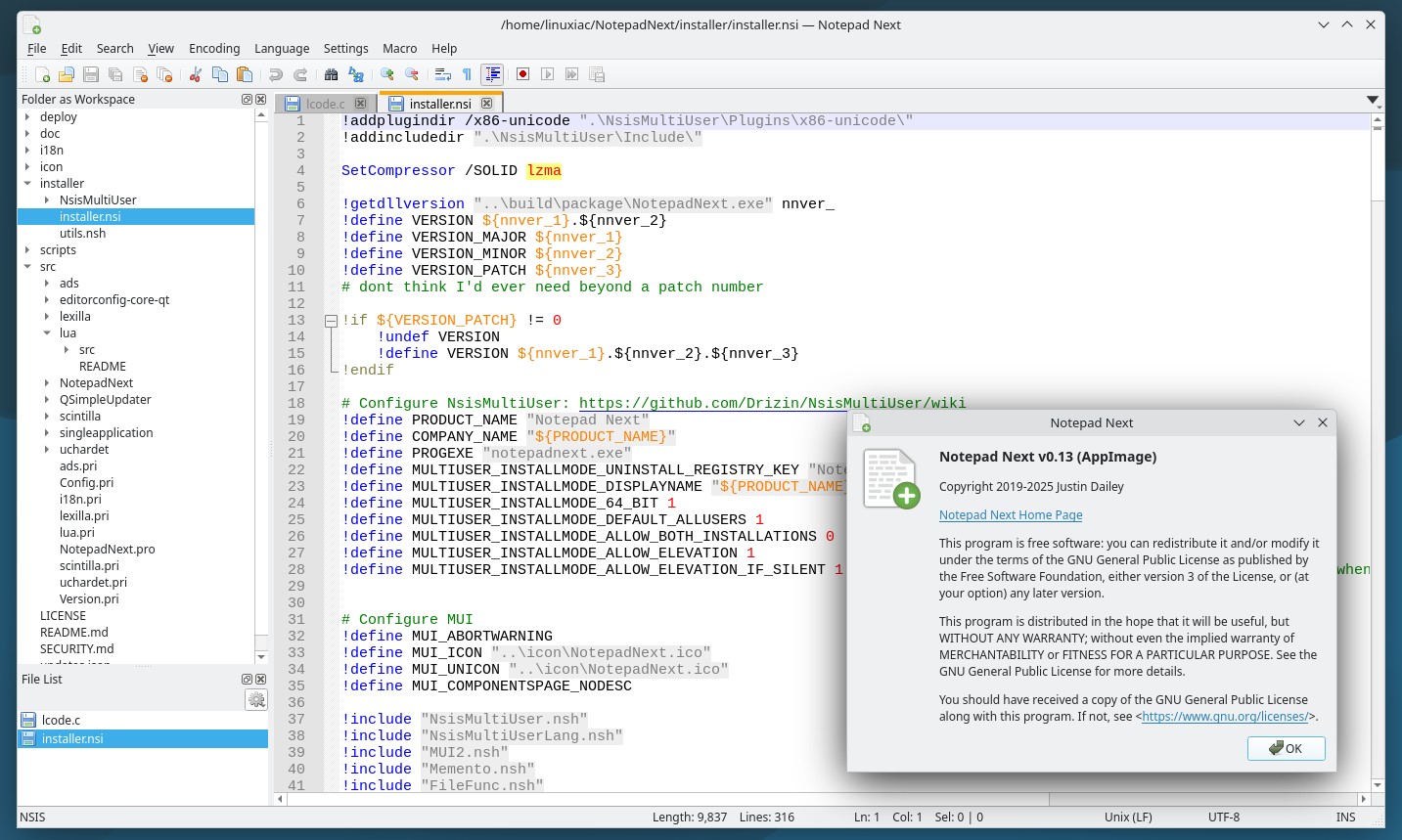
The editor also gains a new workspace mode, allowing users to open an entire folder as a workspace via the new --workspace command-line option, thus making it easier to manage multi-file projects.
Moreover, users can now toggle line number visibility, disable URL highlighting if desired, and click directly on the EOL indicator in the status bar. Plus, a new option allows removal of duplicate and consecutive duplicate lines, while caret behavior has been refined to better respect selection ranges. Search result font sizes have also been unified for better visual consistency.
On the bug fixes side, the new 0.13 version addresses issues with passing file paths when launching multiple instances, introduces a configurable default directory for opening files, and improves the modified-file reload dialog. Session handling and file reload behavior have been adjusted to reduce friction during longer editing sessions.
Finally, regarding syntax, this release adds support for Abaqus. Localization has been expanded and updated with new Italian and German translations, updates to Brazilian Portuguese and Ukrainian, and refreshed Portuguese language support.
For more information, see the changelog. Linux users can quickly and easily install NotepadNext as a Flatpak or download the AppImage version.




I tested a long time ago and was ok but dark mode, Still without dark mode, a pitty.
Why must I download, install and test every text editor I come across. Why?
I’ve really been looking for a notepad++ equivalent for linux, notepadqq is terrible and does weird thing, but that blinding white background theme when I normally work in dark mode kills it. I’m looking forward to this as a qt native app using QTADS in a text editor.
I’ve found Kate to be a decent replacement for Notepad++ if you tweak the settings a bit.
Second that. Kate is awesome.