Budgie Desktop 10.10 has been released, delivering its first full migration from X11 to Wayland and marking the end of a development spanning more than a decade (the initial 10’s release came out in December 2015). With that said, with the new 10.10 release, Budgie 10 series now enters maintenance mode as the project shifts its primary focus toward the upcoming Budgie 11.
Despite the underlying architectural change, the user experience under Wayland remains intentionally familiar. Panels, applets, Raven, desktop icons provided by Budgie Desktop View, and established keyboard shortcuts all behave much as they did under X11.
On the technical side, rather than reimplementing core functionality, Budgie 10.10 integrates widely used Wayland-native tools to provide a cohesive desktop experience. Screenshot functionality is handled through Grim and Slurp, while screen locking and idle management rely on swayidle combined with gtklock or swaylock and wlopm.
Desktop wallpapers are managed by swaybg, and application integration relies on XDG Desktop Portals, using xdg-desktop-portal-gtk for general tasks and xdg-desktop-portal-wlr for screenshots and screencasting.
On the compositor side, Budgie 10.10 recommends wlroots-based compositors, with particular emphasis on Labwc. To ensure a polished default experience, the project introduces a dedicated Labwc bridge that mirrors Budgie Control Center and Budgie Desktop Settings into labwc-specific configuration files.
According to devs, this integration provides predefined keyboard shortcuts, consistent theming, input acceleration settings, window management features such as snapping and thumbnail-based switching, and tailored rules for Budgie-specific components.
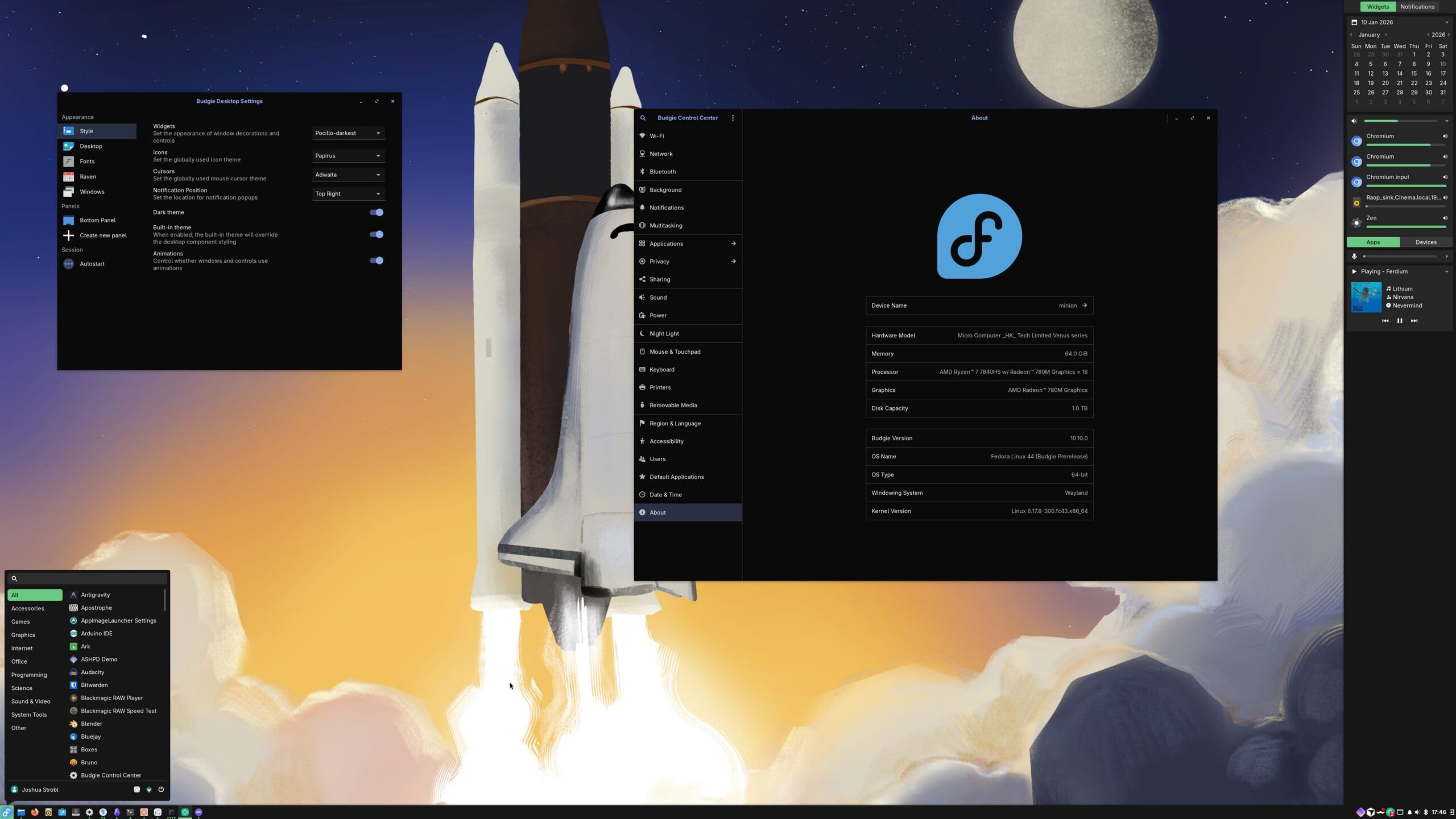
On top of that, Budgie is no longer tied to a single window manager, decoupling the desktop from budgie-wm and its Magpie foundation. This protocol-first design makes Budgie compositor-agnostic, opening the door to alternative compositors.
Many core applets have been updated, too, to support Wayland, with several receiving functional and visual improvements in the process. IconTasklist has been refined through further integration with libxfce4windowing, Night Light now uses gammastep for color temperature control, and the Notifications applet allows Do Not Disturb to be toggled via middle-click.
Moreover, the legacy Tasklist has been fully rewritten for better scalability with large numbers of windows, and workspace handling has been improved for greater reliability. Plus, the panel itself now uses layer-shell to anchor reliably to screen edges, with improved layout calculations to handle overflow scenarios more gracefully.
Finally, some other components have also been updated, including Budgie Desktop View, which now runs natively on Wayland, and Budgie Control Center, which introduces Wayland-aware panels, accessibility improvements, restructured settings, and updated AppStream metadata.
For those eager to give it a try, Budgie 10.10 will ship with the upcoming Fedora 44 and Ubuntu Budgie 26.04, with broader distribution availability expected as packagers adopt the new release.
For more details, see the announcement.
Image credits: Budgie