
It finally happened! We have an early Christmas present. Powered by Linux kernel 6.17 and built on Ubuntu 24.04 LTS, Pop!_OS 24.04 LTS has arrived, marking the first stable release of the COSMIC desktop environment and closing more than three years of development at System76.
“Today is special not only in that it’s the culmination of over three years of work, but even more so in that System76 has built a complete desktop environment for the open source community. We’re proud of this contribution to the open source ecosystem.”
Carl Richell, System76 Founder and CEO
Built entirely in Rust and designed as a modular, composable environment, COSMIC introduces a faster interface, improved responsiveness, and a workflow centered on tiling, advanced workspaces, and streamlined navigation.
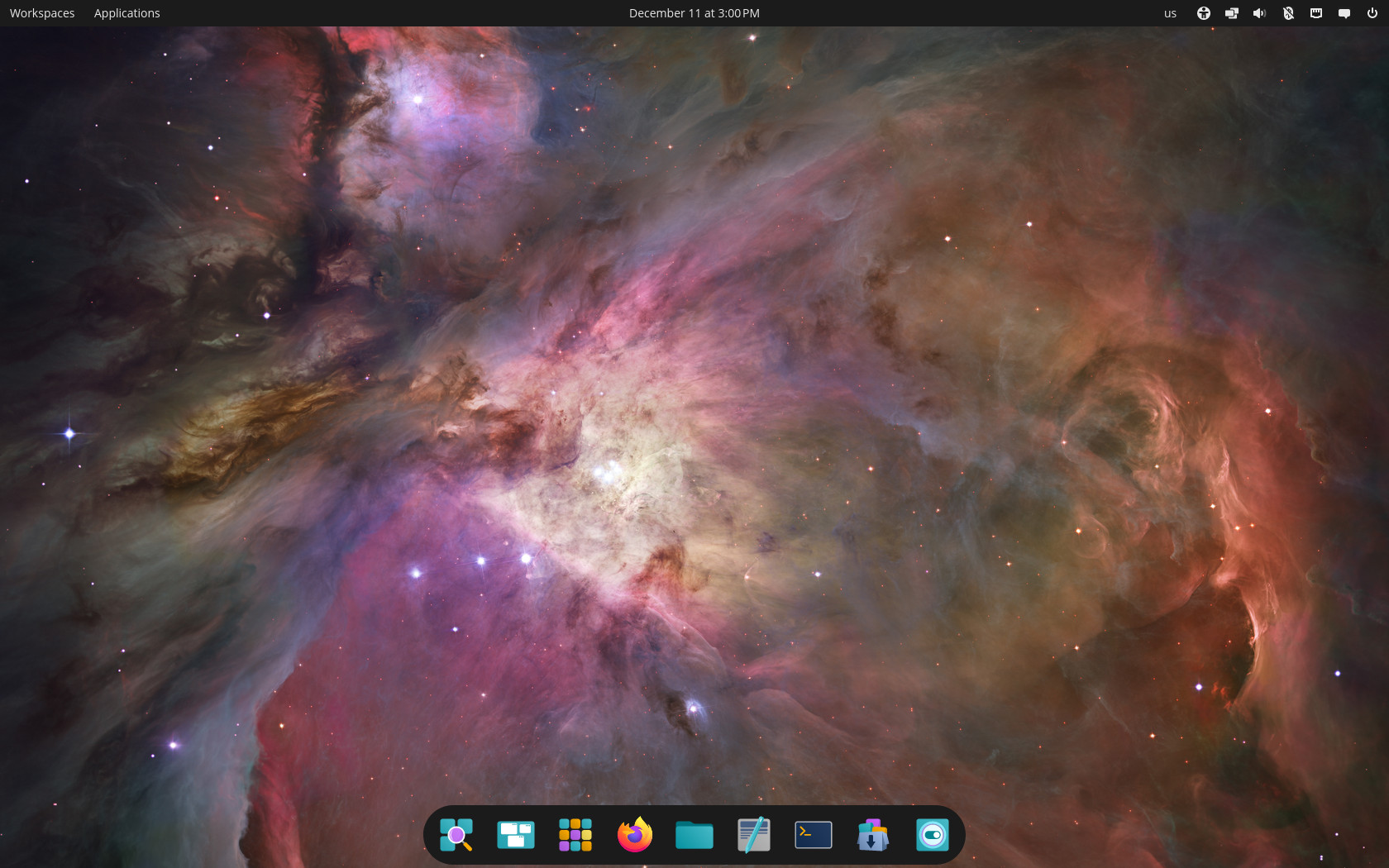
In fact, the arrival of the first stable release of the COSMIC desktop environment can, without exaggeration, be called the open-source event of the year in desktop computing. A brand-new, fully functional environment built from scratch, backed by a company like System76 and clearly designed for the long term, hasn’t happened in a very long time.
Moreover, COSMIC has all the ingredients to meaningfully challenge the long-standing dominance of KDE and GNOME. While KDE occupies a somewhat different niche both visually and functionally, the GNOME ecosystem is the one most likely to see users migrate to COSMIC.
The reason is straightforward: everything GNOME lacks and forces you to use extensions (inviting a compatibility battle twice a year) comes built in with COSMIC. It restores a sense of normalcy while also delivering functionality that, in many areas, goes well beyond what GNOME provides.
The release also broadens Pop!_OS beyond x86_64. Version 24.04 LTS adds official ARM support, including compatibility with the System76 Thelio Astra and community hardware through Tow-Boot. Hybrid graphics are now handled automatically, with applications requesting the discrete GPU when needed and manual overrides available from the app menu.
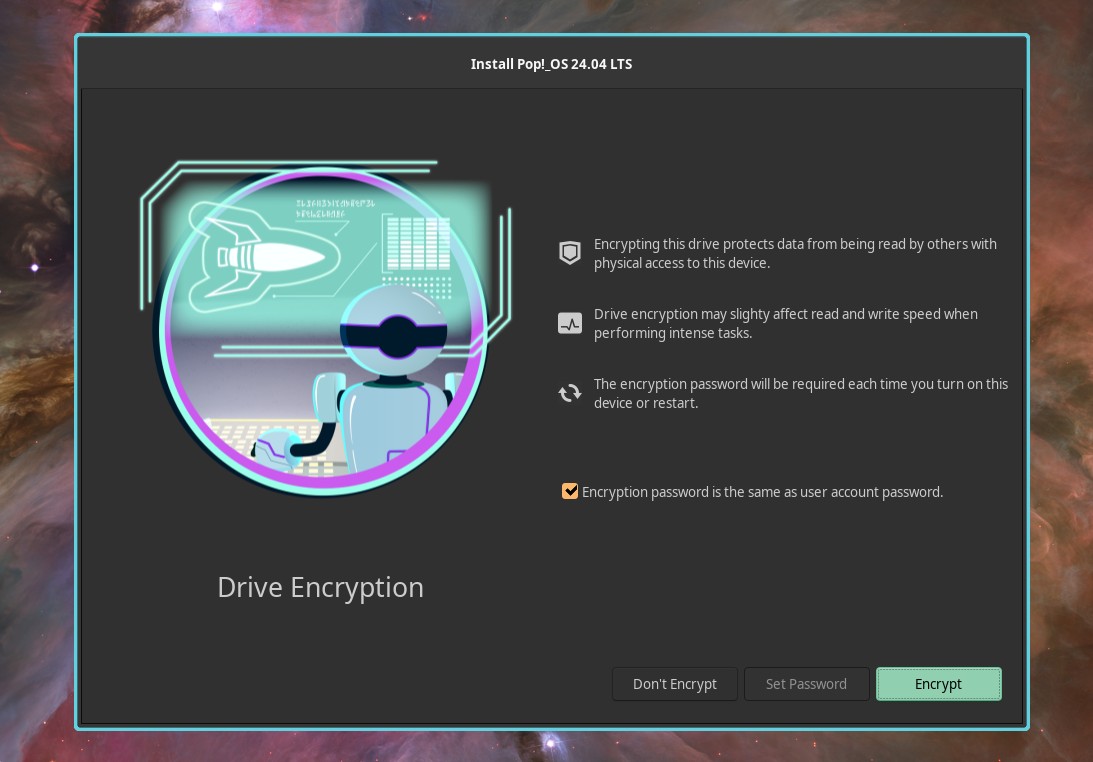
Installation is simplified with full-disk encryption by default and a new Refresh Install option that reinstalls the system while preserving user files, settings, and Flatpak applications.
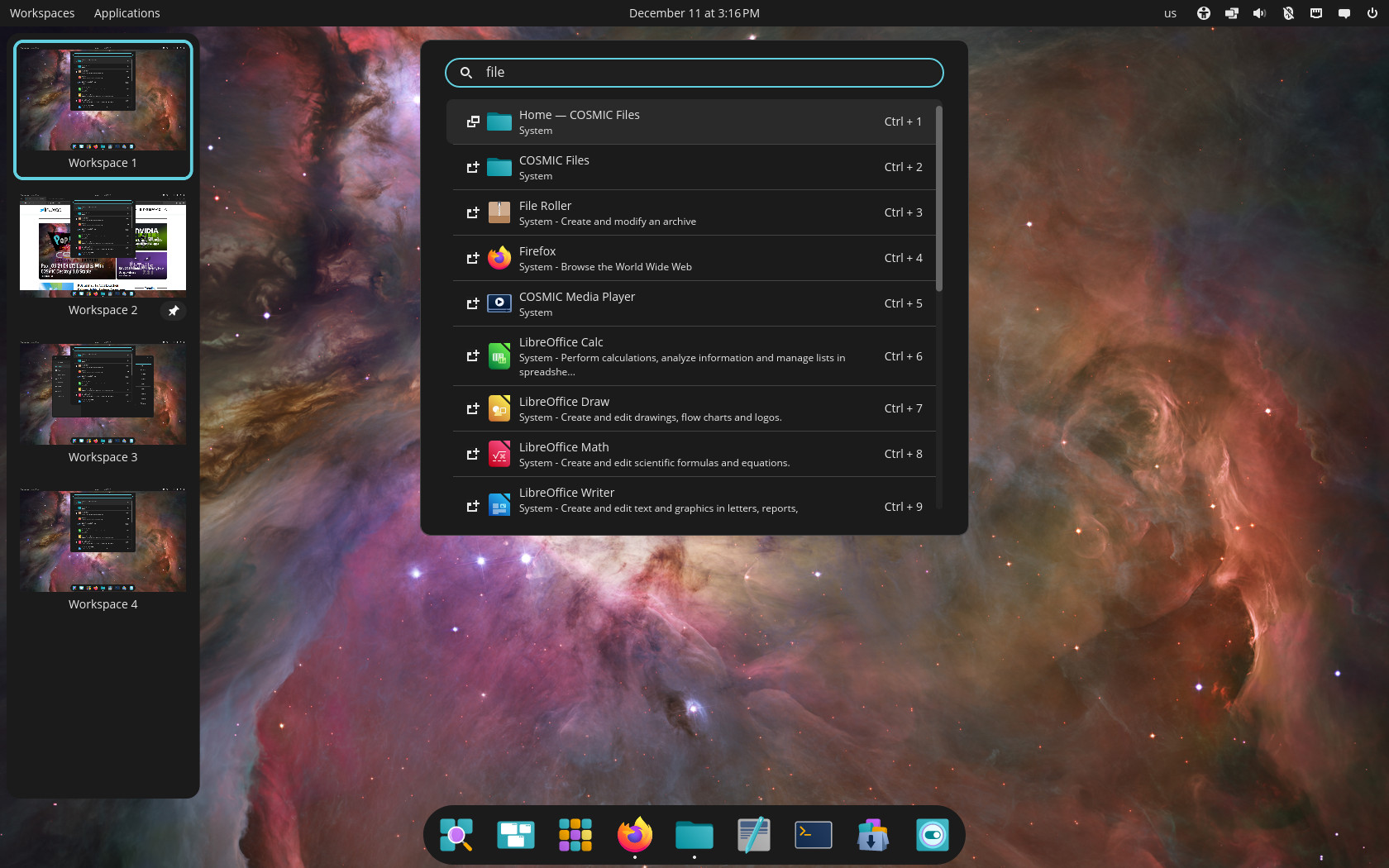
COSMIC itself introduces a wide range of workflow improvements. Tiling can be toggled per workspace or per display and supports both mouse-driven and keyboard-driven rearrangement, with visual hints guiding placement.
Workspaces can be horizontal or vertical, pinned, moved between displays, or reordered entirely. Multi-display setups benefit from automatic scaling based on pixel density, persistent configuration, and clean fallback behavior when displays are unplugged.
Regarding customization, users can theme the desktop in Settings, choose between panel-plus-dock and single-panel layouts, and arrange applets, such as workspace indicators or system controls.
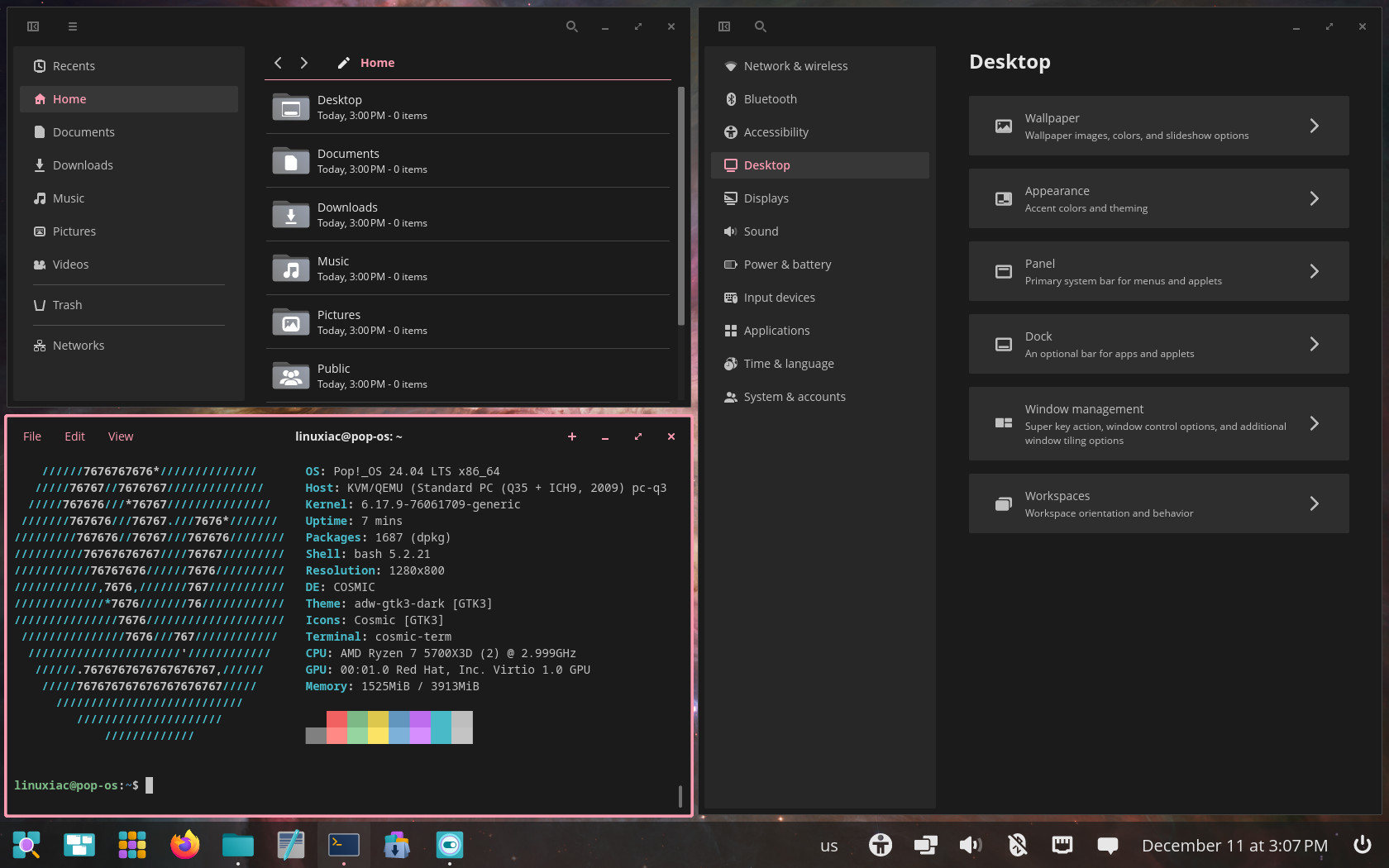
Navigation is faster through COSMIC Launcher, which opens with the Super key for app launching, switching, web searches, GitHub queries, calculations, and direct command execution. Window management expands with stacking, snapping, and sticky windows that remain on top and follow users between workspaces.
System76 also introduces rewritten applications tailored to the new environment, including COSMIC Files, COSMIC Store, COSMIC Terminal, COSMIC Text Editor, COSMIC Media Player, and COSMIC Screenshot. All are built in Rust, aiming to improve performance, safety, and responsiveness across the desktop.
For users on Pop!_OS 22.04 LTS, upgrade notifications will begin rolling out in January 2026. Those wishing to upgrade immediately can do so via the pop-upgrade release upgrade -f command after backing up their data.
For more information, see the announcement. You can get the latest stable Pop!_OS 24.04 LTS images from the official System76 download page.
Lastly, in the coming days and weeks, the major rolling-release distributions are expected to ship the first stable version of the COSMIC desktop in their repositories. COSMIC-based spins should also begin appearing across the major fixed-release editions. So, it will be interesting to watch how widely Linux users adopt the new desktop environment.

The only thing I wish Pop!_OS kept from GNOME is the multitasking hot corners.
When Gnome 3 was released I decided to bite the bullet and really spend time with it, trying to understand just what its designers intended. I came to appreciate it very much and enjoy the workflow. A small number of extensions (literally 3 or 4) let me configure it just like I want it. Good job, guys!
I’ve also been trying out the new COSMIC DE for a few months. I enjoy the speed (and memory safety) of a Rust-based environment. Obviously, it shares many design cues with Gnome (see, e.g., the Settings app, the dock, the panel, and the handling of virtual desktops), though it is far more configurable without extensions. I have tweaked it a bit, but plain, stock COSMIC has intelligent defaults and suits me pretty well. And I’m sure minor annoyances (say, the current inability to move window controls to the left, or the privacy issue of not being able to turn off or clear history) will be solved in time. Kudos to System76 for this impressive achievement!
So, either DE is fine for me. Some things Gnome does better. Some things COSMIC wins. I like both and both suit my workflow well.
What I absolutely don’t want is a Win95-style DE, with the equivalent of a Start button, layered menus, and a panel of open apps on the bottom. That was fine in the 20th century, and certainly slicker than Windows 3.1. But having sampled the Gnome (and now COSMIC) workflow, I’m convinced we can do better — way better. So, for me, KDE, XFCE, LXDE, and all those other, tired Win95 clones just don’t cut it. If those are your thing, feel free, though. Choice! That’s the beauty of Linux.
I’ve spent 8 years on Gnome3/40, added 15 extensions to have something I was comfortable with, and I still ended up feeling discomfort through and through and I could barely fulfill my use cases. 😀
Cosmic solved that instantly. So I think I finally found my peace there.
But what I really wanted to say is that DEs like KDE, Mate, even XFCE are all extremely configurable. Sure, defaults have the Win95-style DE you mention, but all of these can mimic the Unity or Gnome paradigm with just 10 minutes of tweaking them. So I don’t think it’s fair to just call them Win95 clones. They are extremely versatile, and it’s up to the user to lay them out the way he/she likes. That’s something that you cannot do on the contrary with Gnome, as it is not intended to be versatile, but to be just thrown out in your face.
Look at Rhino Linux screenshot here:
https://linuxiac.com/rhino-linux-2025-4-brings-lomiri-packages-and-updated-kernels/
This is XFCE. Does that look like a Win95 clone?
Dang! I recently converted to Pop! From Fedora and thought Cosmic was already pretty good, if you added Gnome Tweaks like Dash-to-Panel, etc. Excited to see the new Cosmic! Maybe won’t even need tweaks.
COSMIC is a really nice middle ground. I hope Bazzite implements an official spin.
Not sure why you would want to use Cosmic on Bazzite.
They basically have entirely different and contradictory philosophies.
The only one Linux desktop environment that at least works and could do simple things without problems. Gnome is laggy, KDE is buggy
Cosmic has tons of issues. Not to moan about that since it is only in first full release out of beta, but not really sure WTf you are talking about. I guess just typical fanboi mouthing off.
Last time I tried it, I enjoyed the environment, but the applications were lacking features. IIRC, file manager didn’t provide a tree view and the terminal didn’t allow copying while scrolling..
Just downloaded. Only 30 minutes in. But so far I am very impressed. Great work, thank you
Pop! Features are better than ubuntu, they updated kernel version, do not using snap, and better performance against ubuntu, so happy for system76 and Carl.
Cosmic added gnome extensions in one de without problems and stable with a universal code, at the other hand gnome in this moment are so stable and minimal, last day i tested debian 13.2 with gnome de, and it impressed me, after 2 hours i worked with that in my virtual machine, it used 1.4 gb ram size, and so stable, i think after many years time to going back to Gnome de.
Good luck with that. Gnome is so featureless it barely fulfills its core mission at this point.
You can drive a car on a track after removing heating, back seats, the finishing material inside the car body, the glove box, the trunk, or the center console, that’s minimalism.
But when in addition you start removing tyres and the steering wheel, then you can no longer fulfill the use case of moving your car… That is Gnome to me. There is no workflow I can complete with it unless I add extensions. The steering wheel is needed to fulfill the use case of driving your desktop, it shouldn’t come as an extension.
Plus, without suspensions either, it’s definitely not stable. That’s one thing I never felt with Gnome, as Mutter is crash-prone garbage.
The point of the extensions is control over you OS and Desktop…you new or something? Gnomes use of extensions is about user preferences and customization.
Terrible analogy.
You’re the one who’s new, clearly.
Gnome’s use of extension was initially just to avoid backlash. It has nothing to do with control, at least not from the user perspective, as Gnome doesn’t even want you to control your own desktop! The very philosophy behind Gnome is that Gnome controls everything for you and you have no say in anything.
And they don’t want you to customize anything either, as shown by lack of basic options or by the libadwaita lockdown.
The extension system was just half-baked so they could rub their hands doing nothing and leave it to 3rd parties to do THEIR job and offer some (very) limited degree of customization for them, while they just tolerated it to avoid further backlash on their poorly design DE (and they make sure to break it regularly to make users’ life more complicated).
Don’t fight to each other, every de is good, and every linux distro are good, it depends to user interest, about of gnome philosophy is Minimalist, for customize use arch and kde. Im using on my prime system a fedora with kde. I have an old laptop about of year 2016, so wanted to bring that to life and installed debian 13.2 with gnome on that, and now works perfectly, the system configuration is: 4gb ram, cpu intel pentium serie N, graphic is intel too.
So debian used only 1.3 gb from 4gb ram, i tested netbeans on it, it load that in 5 second, then run a program code with 5000 line codes on that, in 30 second build that, so im impressed now, it works perfectly with this old config.
Gnome for who wants minimal.
Kde for who wants to customize.
Waiting to be available on Arch linux to move from lqtde to Cosmic and give a try, if its ok will move from Debian/Gnome to Arch/Cosmic on my main computer at home when I finish my long trip.
Actually with a VM on a notebook with Arch/lqtde already leave debian/gnome here after many years to try new things and Arch seems good for me.
I like Gnome and with the extensions i can get it were i want it to be, but without, i wouldn’t probably using it and give XFCE the hand.
Cosmic Desktop had me directly from the beginning. It’s a fresh breeze, very nice, very professional.
Thanks System76. amazing work! The same applies to Bobby 🙂
Dropped Gnome a while back for Cosmic (still in Alpha back then). It relieved me of all the discomfort I felt about Gnome mentality and freed me from their close-mindedness and arrogance.
It’s been a very long time I hadn’t been using my computer like this, with no nonsense, and just focusing on my workflow in a way I feel empowered.
It is stunning what System76 has achieved.
Long live Cosmic!