
Orbitiny Desktop has released Pilot 8, its eighth consecutive (and most extensive) pre-release update on the road to the upcoming stable 1.0 version. The release introduces a long-requested graphical system-wide installer and follows a near-complete rewrite of the desktop’s internal architecture, while preserving Orbitiny’s original portable-desktop design.
But before I continue, if you haven’t heard of it, here’s what it’s all about. Orbitiny is a new (still in development) open-source Linux desktop environment built from scratch using the Qt framework and C++, providing a complete graphical workspace with panels, icons, menus, and its own utilities.
Its main selling point is that it is both portable and installable, meaning you can run it from a single directory on any Linux system or install it as a traditional desktop. It includes unique features such as custom desktop gestures, modular components, and enhanced file and clipboard handling that set it apart from existing environments.
The headline change in the latest Pilot 8 pre-release is proper system-wide installation. Orbitiny can now be installed like a conventional desktop environment using a dedicated graphical installer, while keeping all files in a single directory. Portable mode remains supported, storing configuration alongside the launch script, while installed systems save user settings under ~/.config/orbitiny.

To enable this transition, much of Orbitiny’s foundation was redesigned. Large portions of legacy code were removed and replaced, and many desktop components were split into independent applications. According to the desktop’s lead dev, this modular approach improves stability by preventing crashes in auxiliary tools from taking down the entire desktop.
On top of that, automatic process restart has also been added, allowing the panel or desktop to relaunch if a failure occurs. Plus, the Pilot 8 pre-release introduces a redesigned, icon-driven control panel that centralizes configuration while delegating individual settings to separate utilities.
A new real-time configuration monitor watches Orbitiny’s plain-text INI files and applies changes immediately after they are saved, enabling live adjustments to settings such as wallpapers, desktop paths, and visual behavior without restarting the session.
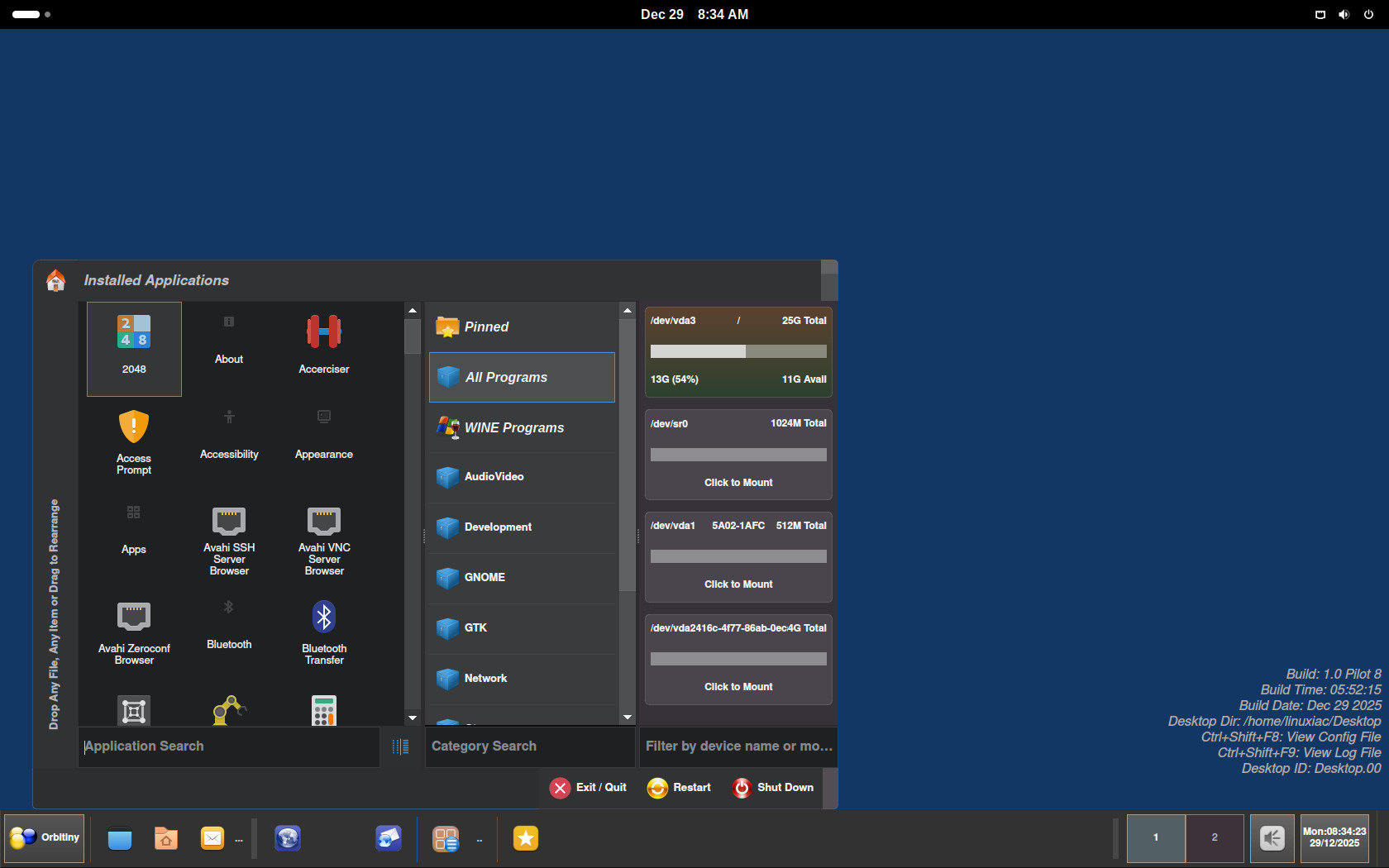
Virtual desktops have been significantly extended, too. In addition to hiding windows per workspace, Orbitiny can now switch desktop directories when changing virtual desktops, allowing each workspace to display a different set of files and icons. This design effectively treats each virtual desktop as a separate working environment rather than just a window grouping mechanism.
On the theming support side, Pilot 8 brings a dynamic theme engine that lets styles be modified via editable CSS files. New management tools have been added for panel themes, plugins, panels, and panel profiles, consolidating previously scattered options into a single set of management windows.
Orbitiny’s file manager, Qutiny, gains several usability enhancements, including visual emblems for empty folders, clipboard state indicators, a new Coconut theme, improved keyboard filtering behavior, and reduced idle CPU usage. Clipboard handling remains a core differentiator, with Orbitiny supporting file-aware clipboard history rather than text-only tracking.
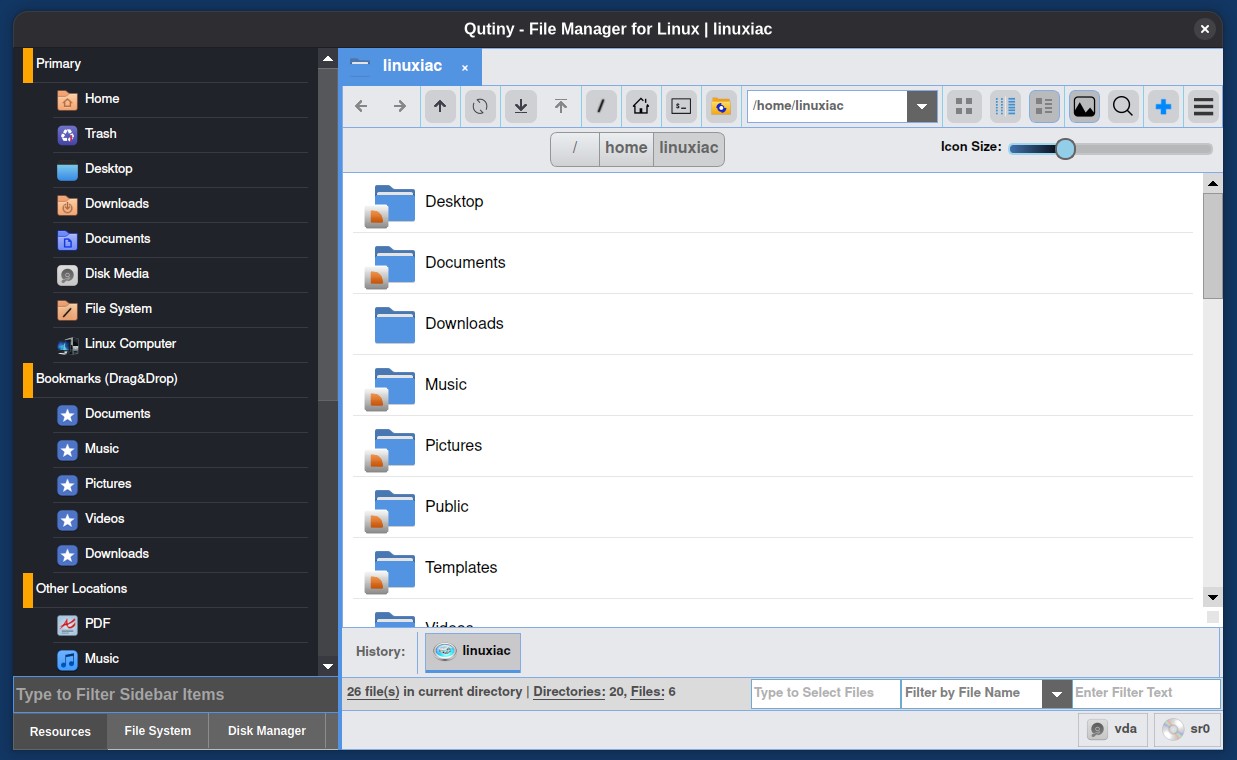
The release also includes a large volume of bug fixes across the desktop, panel, file manager, clipboard manager, and theming system. Many long-standing issues related to drag-and-drop behavior, panel resizing, icon positioning, and intermittent crashes have been addressed, alongside performance improvements on high-resolution displays.
Finally, Pilot 8 consists of 47 components, including 45 external programs and two internal services, all developed and maintained as part of the Orbitiny ecosystem. Audio control has been ported from pavucontrol-qt, further reducing reliance on external desktop infrastructure.
For more information, see the announcement.
Orbitiny Desktop Pilot 8 is available for download now from SourceForge. What’s more interesting, however, is that the developer has also confirmed plans for an upcoming Orbitiny Linux distribution. So, I’ll be keeping a close eye on how things develop next year and, as always, will keep you informed of any updates.

Is Orbitiny compatible with Wayland?
Hi Bobby,
Orbitiny developer here. Thanks for the review, much appreciated. I saw it by chance while browsing LXer News so I could not help but click on the link 🙂 I am aware of your website btw and I think you are doing an amazing job. Keep up!
I have only just released Pilot 8B addressing a bug which is actually also shown in your screenshot – that blank area between the email and the web browser icons. That blank area is actually a launcher button but with a blank icon and the reason for the blank icon is because the active icon theme in use did not provide an actual pixmap for the target file the button is pointing at so as a work-around I added a placeholder icon to fall back to in case Orbitiny gets a blank icon again such as the one shown in your screenshot. This means there won’t be a blank area again. I should have done this earlier, I acknowledge (too many things to do so I missed it).
The reason for the pixmap not being provided is either because the target file the launcher is pointing at is missing or the icon theme in use does not have a pixmap file assigned for that file type for the icon theme in use.
Also, in the just released Pilot 8B, I fixed an intermittent Qutiny (the file browser) crash which got introduced in Pilot 8 but did not exist earlier but the earlier versions had a different issue (just not a crash) however Pilot 8B has both of them fixed.
I welcome any input / feedback about the project and I encourage people interested in the project to suggest ideas and report bugs because I do respond to feedback.
Cheers
Great work, thank you!
It’s a pleasure to report on such a project, and I’m eagerly looking forward to the first stable release of the desktop.