If you want to turn an old PC or mini computer into a NAS without spending hours configuring Linux, ZimaOS is worth checking out. Developed by IceWhale Technology, the company behind ZimaBoard and ZimaCube, it is a Linux-based NAS operating system designed to simplify network storage, backups, and self-hosting.
Unlike CasaOS, IceWhale’s open-source home server management platform that runs on an existing Linux installation, ZimaOS is a complete standalone operating system. Built using Buildroot, it includes its own installation images, web-based management interface, and system update support.
For storage, ZimaOS supports JBOD and RAID 0, 1, 5, and 6, letting users combine multiple drives for extra capacity, performance, or redundancy. Arrays can be created through the web interface, which also shows disk health, available capacity, read and write speeds, and overall array status.
If a disk fails, ZimaOS identifies degraded RAID arrays and provides a guided rebuild process after replacing the faulty drive. For advanced storage needs, the system supports ZFS, including pools, datasets, checksums, and snapshots, although configuration currently relies on command-line tools rather than a graphical interface.
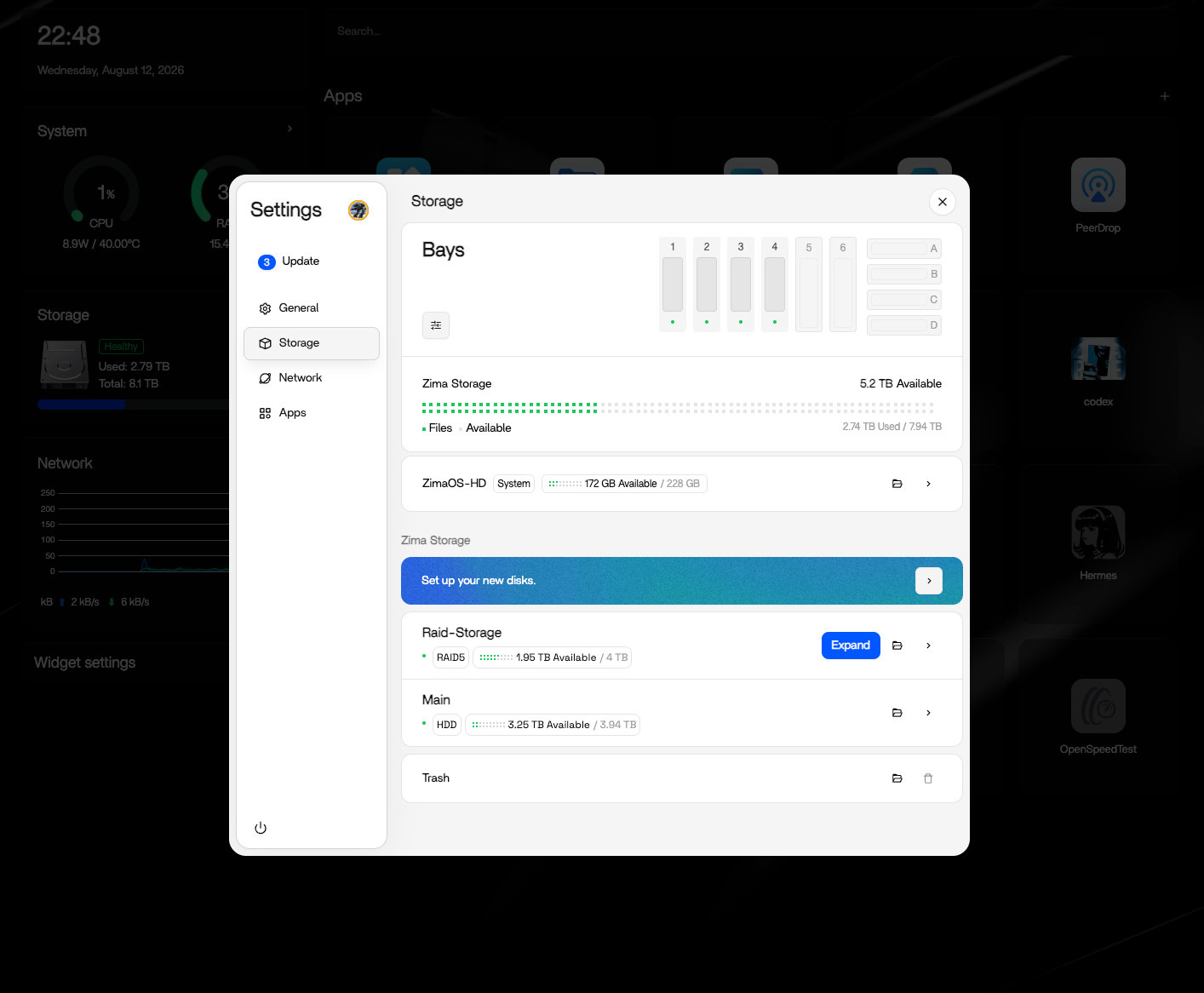
Regarding network file sharing, SMB support lets users share folders across Linux, Windows, and macOS, with individual permissions for different users. NFS is available for Unix-like environments, while iSCSI allows exposing block-level storage to other machines. However, NFS and iSCSI require command-line configuration.
Moreover, for extra protection, ZimaOS includes encrypted folders using AES-256-GCM and UPS integration to monitor backup power and automatically shut down the server during extended outages.
Backups are managed through a graphical interface, with options for scheduling and synchronizing data between local disks, network shares, and supported cloud storage services. Users can also connect existing NAS devices, including Synology and QNAP systems, to transfer files or include them in backup workflows.
Remote access is available through Zima Client applications for desktops and mobile devices, letting users access files and manage servers outside the local network. For those who want more control over networking, they can also use Tailscale or WireGuard.
Importantly, ZimaOS is not limited to storage. Docker support and a built-in App Store with over 800 applications make it suitable for running self-hosted services such as Jellyfin, Plex, Immich, Nextcloud, Home Assistant, and Pi-hole. Applications can be installed and managed through the graphical interface, while Docker Compose offers additional flexibility for custom deployments.
There is also ZVM, a built-in virtualization solution for running Linux and Windows virtual machines. It supports installing operating systems from predefined options or custom images, although some advanced virtualization features remain under development.
Regarding hardware compatibility, ZimaOS can be installed on generic x86-64 computers with UEFI support, making it an option for repurposing older desktops and mini PCs. Installation requires a dedicated system disk and disabling Secure Boot.
One important distinction concerns its open-source status. Although ZimaOS is Linux-based and evolved from the open-source CasaOS project, its complete source code isn’t publicly available through the main GitHub repository, which primarily provides system images and release information. As such, it shouldn’t be considered a fully open-source NAS distribution.
ZimaOS is available in free and paid editions. The free version includes core functionality but limits installations to four disks and three users. A $29 lifetime license removes these restrictions, allowing unlimited disks and users.
For installation images, system requirements, and configuration instructions, visit the project’s documentation.
Image credits: ZimaOS